


Wonderblocks World
3.54.00 Reviews
App Specs
- Version
- 1.1.11
- Updated On
- License
- Free
- Downloads
- 10,000+
- Developer
- Blue Zoo
- Categories
- Educational
- Platform
- Android
Screenshots
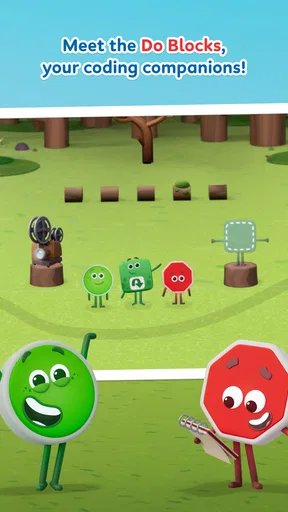
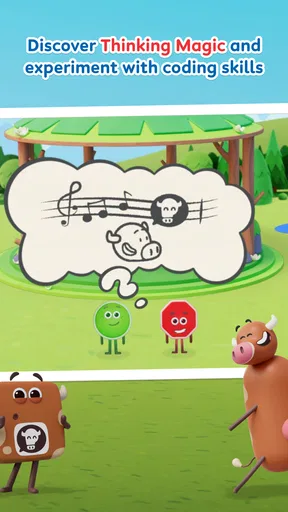
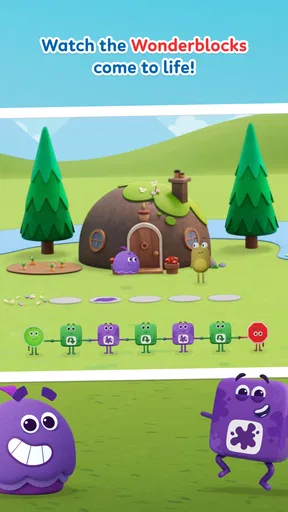
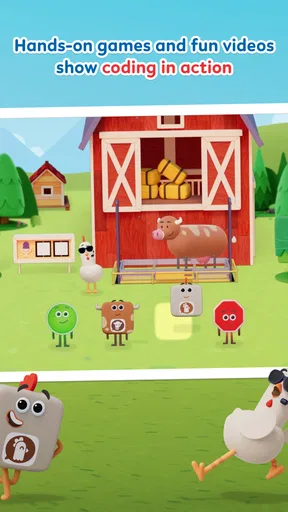
 Analysis by AppCompare
I like a children’s game best when it gives a child something to think through rather than simply something to tap. That is the lens I would use for Wonderblocks World: it is an educational game from Blue Zoo, and its central promise is to make coding feel like play. The idea has appeal for families looking for a friendly first encounter with the subject, but the experience is most useful when an adult treats it as a starting point for curiosity, not a substitute for a structured coding course.
For a parent deciding whether to try it, the practical basics are straightforward. It is free to download, rated for Everyone, and listed for devices running Android 8.0 or later; optional in-app purchases range from $5.99 to $29.99 per item. It launched on May 14, 2025, and version 1.1.11 is the current release. Those details matter because a free download does not necessarily mean every part of the experience is free, so I would check purchase options with a child before handing over a device.
Coding as a playful starting point
The most valuable way to approach Wonderblocks World is as an invitation to think in steps. Coding can seem abstract to a young learner when it is presented as unfamiliar symbols or rules. A game setting can make the basic idea of giving instructions feel less intimidating: try an action, notice what happens, then consider what to change. That learning rhythm is more important than whether a child uses the word “algorithm” afterward.
I would not expect a game alone to teach a complete programming language or prepare a learner for advanced coding. Its likely strength is lowering the barrier to a first try. A child who already enjoys puzzles, building toys, or figuring out how things work may be willing to experiment here before they would sit down with a text-heavy lesson. Parents can reinforce that habit by asking what the child expected an instruction to do and what actually happened, rather than taking over to solve a challenge.
How to make a short session count
For a useful first session, I would sit nearby, let the child handle the controls, and keep the goal small: understand one challenge, make a guess, and test it. If something does not work, resist the urge to fix it immediately. Asking “Which step would you change first?” turns a wrong attempt into a chance to reason, while still keeping the mood light. That approach also helps reveal whether the game’s presentation makes sense to the child without turning play into a test.
A realistic use case is a brief activity after school, when a child has a little energy for a puzzle but not enough patience for a long lesson. I would set a clear stopping point before opening the game, then ask the child to explain one decision they made. This creates a natural bridge between screen time and conversation, and it gives a parent a better sense of whether the coding theme is engaging or whether the child is mainly tapping through. Short, attentive play is a better fit than leaving a young player alone with an open-ended expectation to learn.
Where it sits beside other learning games
Compared with coding apps built around lessons, exercises, and a visible curriculum, this game’s appeal is its more playful framing. That can help a beginner who finds formal instruction dry, but a parent who wants a clearly sequenced course should look for an option designed around explicit lessons and progression. Compared with a general building or puzzle game, the educational angle gives adults a reason to talk about instructions and cause and effect, though that benefit depends on how the child engages with the activity.
Worth Reading Before You Choose

Flipboard Shows What News Apps Must Do Beyond the Feed

Switching to Android Auto Means Rethinking Your Driving Routine

Google Calendar Makes a Crowded Week Easier to Manage

Ludo King Makes the Most of the Minutes Between Plans

Baby Panda World Brings Quick Play to Modern Phones, but Its Game Library Feels Busy

ESPN’s Live Game View Makes Following Close Games Easier
There is a useful trade-off here: an inviting game can make a child more willing to explore, but playfulness does not automatically make learning measurable. If your goal is to teach a particular coding concept on a schedule, a curriculum-led app or an adult-guided activity may be a better match. If your goal is simply to spark interest and see whether a child enjoys thinking through instructions, a low-pressure game can be a sensible first step.
Getting Started with Wonderblocks World
Right from the get-go, Wonderblocks World invites you into a vibrant, blocky universe filled with possibilities. The download was a breeze, and before I knew it, I was diving headfirst into a world where my imagination could run wild. The app is available on both Android and iOS, so no one misses out on the fun.
The interface is user-friendly, with intuitive controls that make it easy for players of all ages. You’re greeted with a cheerful tutorial that quickly gets you up to speed with the basics. It's like having a friendly guide by your side, showing you the ropes and ensuring you’re ready to tackle any building challenge that comes your way.
Building Your Dream World
Once you’ve got the hang of the controls, it’s time to unleash your creativity. The game’s block-building mechanics are reminiscent of classic sandbox games, but with a unique twist. You have a plethora of block types and materials at your disposal, allowing for the creation of anything from simple structures to intricate castles.
I found myself lost in the process, stacking blocks to create my own little paradise. The satisfaction of seeing your ideas come to life is incredibly rewarding. Whether you’re constructing a towering skyscraper or a serene garden, the only limit is your imagination.
Exploration and Adventure
But Wonderblocks World isn’t just about building. There’s a whole world out there waiting to be explored! The game is packed with quests and adventures that keep you on your toes. As you venture through different landscapes, you’ll encounter challenges that test your creativity and problem-solving skills.
There are treasures to find, puzzles to solve, and even creatures to befriend. Each adventure is a new opportunity to discover something extraordinary, and the variety ensures the game never gets stale. It’s like a never-ending treasure hunt, and I couldn’t get enough of it.
Social Features and Community
One of the standout features of Wonderblocks World is its social aspect. You can connect with friends, share your creations, and even team up to tackle bigger projects. The community is welcoming and full of like-minded builders who are eager to share tips and inspiration.
Joining collaborative builds is a blast, and it’s amazing to see what can be achieved when creative minds come together. Plus, the app regularly hosts events and challenges that keep the community buzzing with excitement.
Choosing the right fit for your family
I would be most inclined to recommend it to a child who likes to make things, explore playful worlds, and learn by trying rather than by reading instructions for a long stretch. It may also suit a parent and child who want a shared activity: the adult can let the child lead, then ask them to describe their choices. That keeps the experience child-led while making the educational intention easier to notice.
On the other hand, this is not my first pick for someone seeking a quiet, purely academic coding tutor, a lesson plan with formal milestones, or a game whose main attraction is competitive play. A child who becomes frustrated by trial and error may need an adult beside them, especially at first. And if a family is trying to avoid optional spending altogether, it is worth establishing purchase boundaries before play; the free entry point and the in-app purchase range are different parts of the decision.
Small habits that improve the experience
One practical tip is to encourage a child to say their plan aloud before testing it. That makes it easier to spot whether they understand the problem or are tapping at random, and it gives them a chance to adjust their thinking without an adult supplying the answer. Another is to let them repeat a challenge after a failed attempt instead of immediately moving on. Revisiting a problem can turn a fleeting moment of trial and error into a simple lesson about changing one instruction at a time.
I would also avoid judging the game by whether a child spends a long time in it. A focused short session can be more valuable than prolonged play if the child is actively making decisions. For families sharing one device, taking turns explaining a solution can keep the interaction collaborative without assuming that everyone needs to build the same thing. These small choices help parents see whether the game is genuinely prompting thought or merely filling a spare moment.
What the audience response suggests
The game has a 3.5 average from 95 ratings, with 10K+ installs and four written reviews. I read that as a modest but real audience rather than a settled consensus: there is some interest, but not enough written feedback to make popularity a reliable guide to fit. Since children differ sharply in how they respond to a learning game, I would use a short trial session and watch how the child approaches it instead of assuming the rating predicts their experience.
That makes expectations especially important. I would approach it as an accessible educational game to explore together, not as proof that a child will acquire coding skills simply by playing. If the child is curious and enjoys testing ideas, the format has a good chance of making a first step feel approachable. If they want a more direct, carefully paced course, another educational app may serve them better.
A measured recommendation
My overall view is that Wonderblocks World is most appealing as a playful doorway into coding and creative problem-solving, especially for a young beginner who responds better to experimenting than to formal lessons. Blue Zoo’s game is free to start and suitable for everyone, but its optional purchases and the mixed average rating are good reasons to make a considered choice rather than install it on autopilot.
I would try it with a specific, modest goal: see whether the child enjoys working through instructions, then talk about one thing they learned from a successful or unsuccessful attempt. If that sparks questions, it has done something worthwhile. If the child wants more structure, choose a curriculum-led coding app; if they simply want unstructured construction, a dedicated sandbox may fit better. For families looking for a gentle way to test a child’s interest in coding, Wonderblocks World is worth considering, with an adult nearby to keep the experience thoughtful and the spending boundaries clear.
Pros
- Intuitive interface for easy navigation.
- Engaging graphics and vibrant colors.
- Wide variety of levels for all ages.
- Regular updates with new content.
- Offline mode for on-the-go play.
Cons
- In-app purchases can be pricey.
- Occasional ads interrupt gameplay.
- Some levels require precise timing.
- Limited customization options.
- Initial load times are lengthy.
FAQs for Wonderblocks World
What is Wonderblocks World and what makes it unique?
Wonderblocks World is an innovative puzzle and adventure game available on both Android and iOS platforms. It stands out for its creative gameplay that combines block-building mechanics with immersive storytelling. Players can explore diverse, beautifully designed worlds, solving puzzles and unlocking new challenges. The game offers a rich experience with regular updates and community events.
Is Wonderblocks World suitable for children?
Yes, Wonderblocks World is designed to be family-friendly and is suitable for children. The game features colorful graphics and engaging, non-violent gameplay that encourages problem-solving and creativity. However, it's always a good idea for parents to check the content and play the game themselves to ensure it aligns with their family values.
Does Wonderblocks World require an internet connection to play?
Wonderblocks World offers both online and offline modes. While you can enjoy many features offline, some aspects, like community events and updates, require an internet connection. Playing online also enables you to compete with friends and access leaderboards, enhancing the gaming experience.
Are there in-app purchases in Wonderblocks World?
Yes, Wonderblocks World includes in-app purchases that allow players to buy items such as power-ups, skins, and additional content. While these purchases can enhance gameplay, they are optional, and players can enjoy the core game without spending money. It's advisable to monitor in-app purchases if children are playing.
How often is new content added to Wonderblocks World?
The developers of Wonderblocks World are committed to keeping the game fresh and exciting by releasing regular updates. These updates often include new levels, challenges, and seasonal events. Players can expect consistent new content, ensuring a dynamic and evolving gaming experience.


